Skip to the content

Project management, made simple.

Built for the rest of us, not the enterprise. Say what you want to make and get a plan to follow.

Opening soonSee what it does
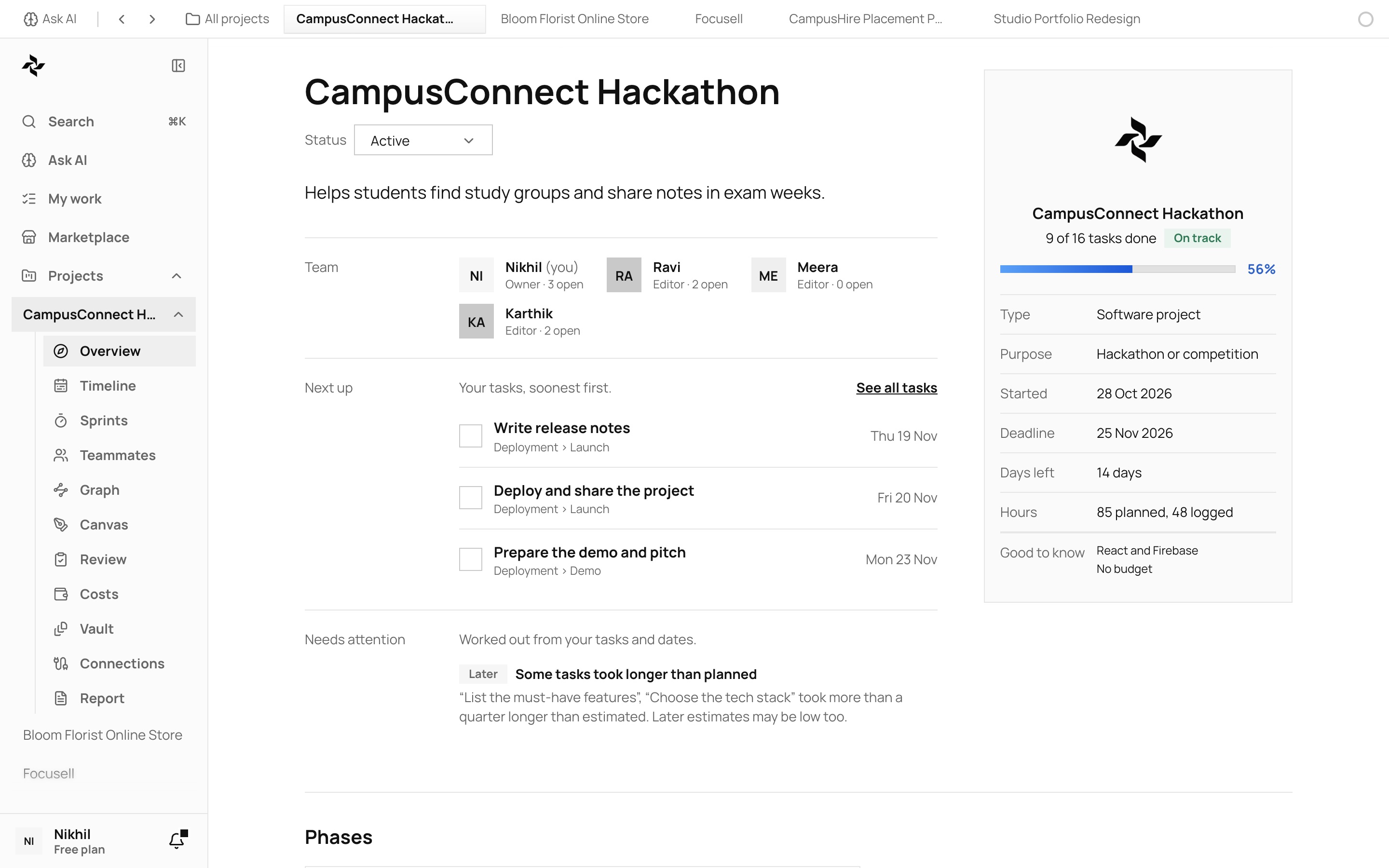
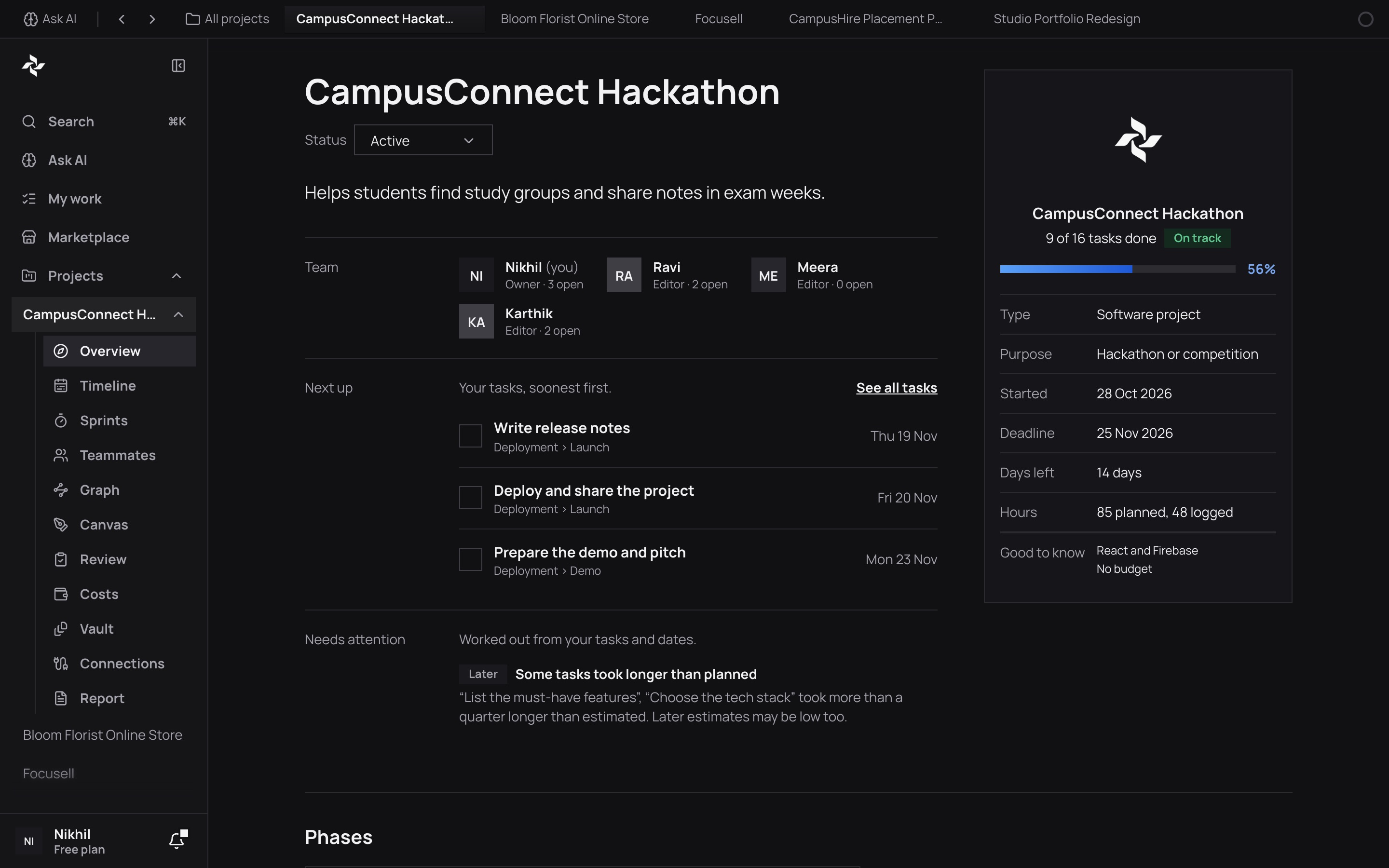
Vyam: the Ask AI page, with the sidebar open

Finishing even one project takes a lot of time and effort. Vyam plans hundreds of them every day.

Who it is for

For people who are building something

Made for students, freelancers, hackathon teams, college projects and small startups.

Students

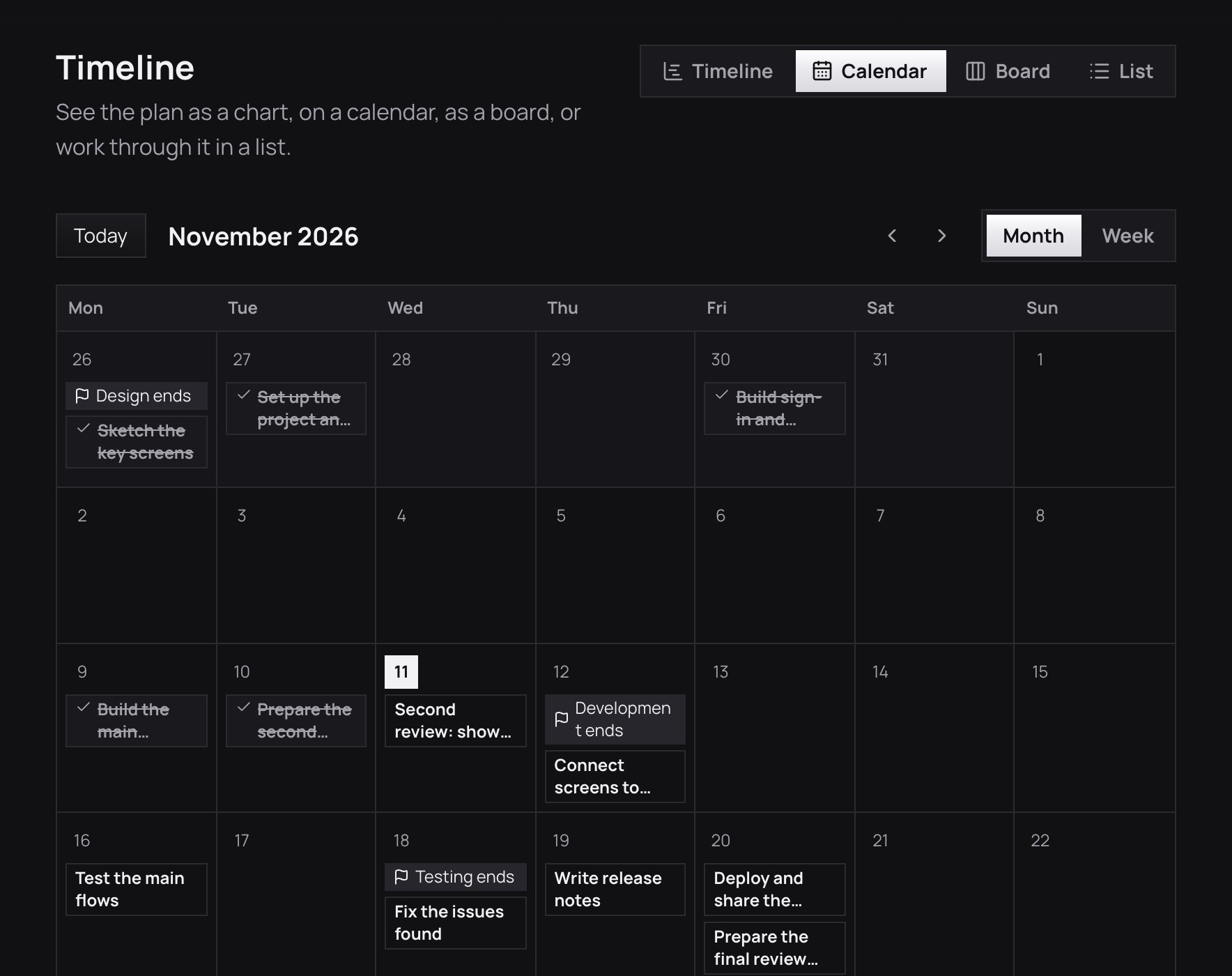
See the whole project on one calendar

Tasks sit on the day they are due, phase ends are marked and finished work is crossed out, so you can see if the deadline is safe.
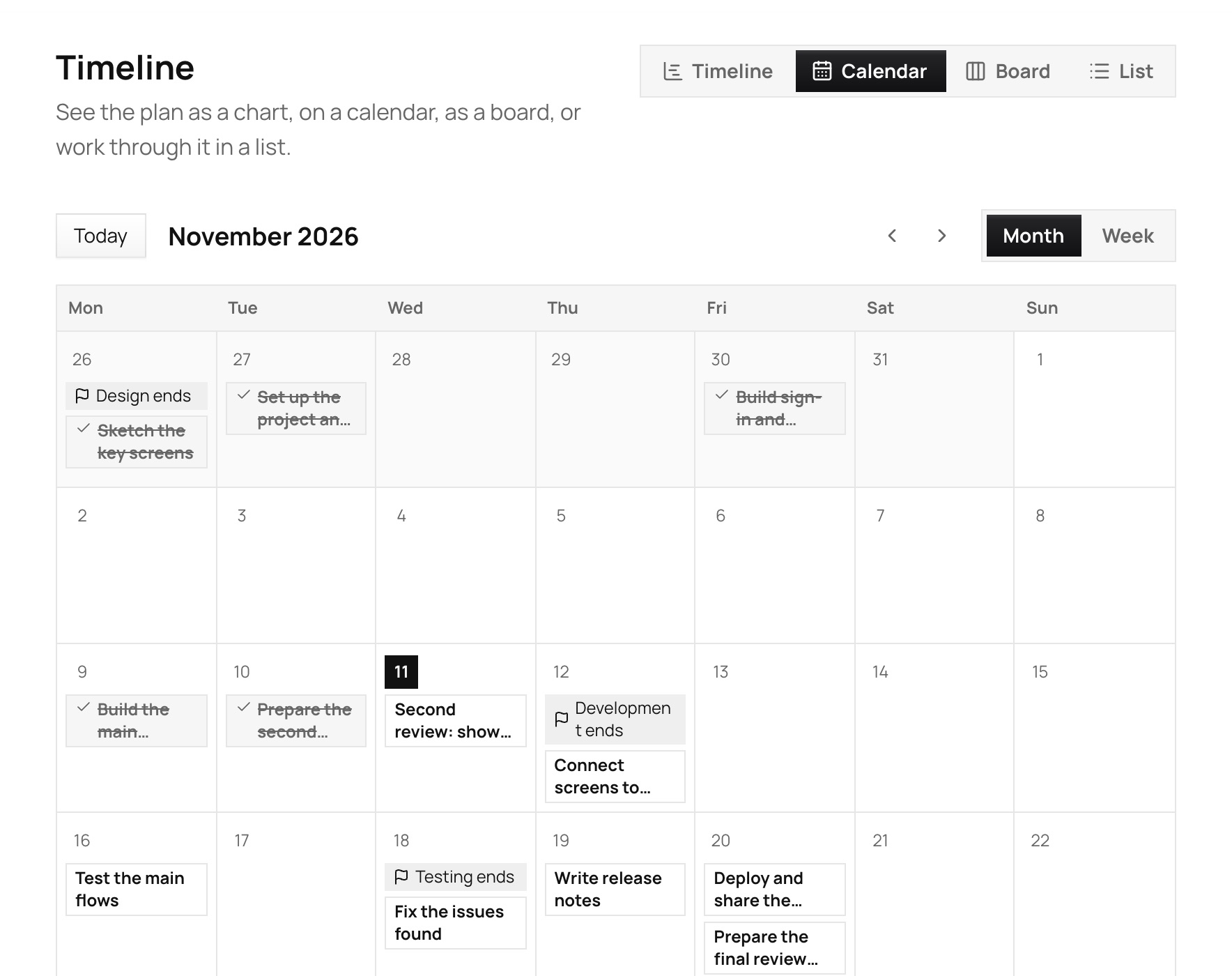

Vyam’s Timeline page as a calendar for a college project: each task on the day it is due, the end of every phase marked, finished work crossed out and today highlighted

Freelancers

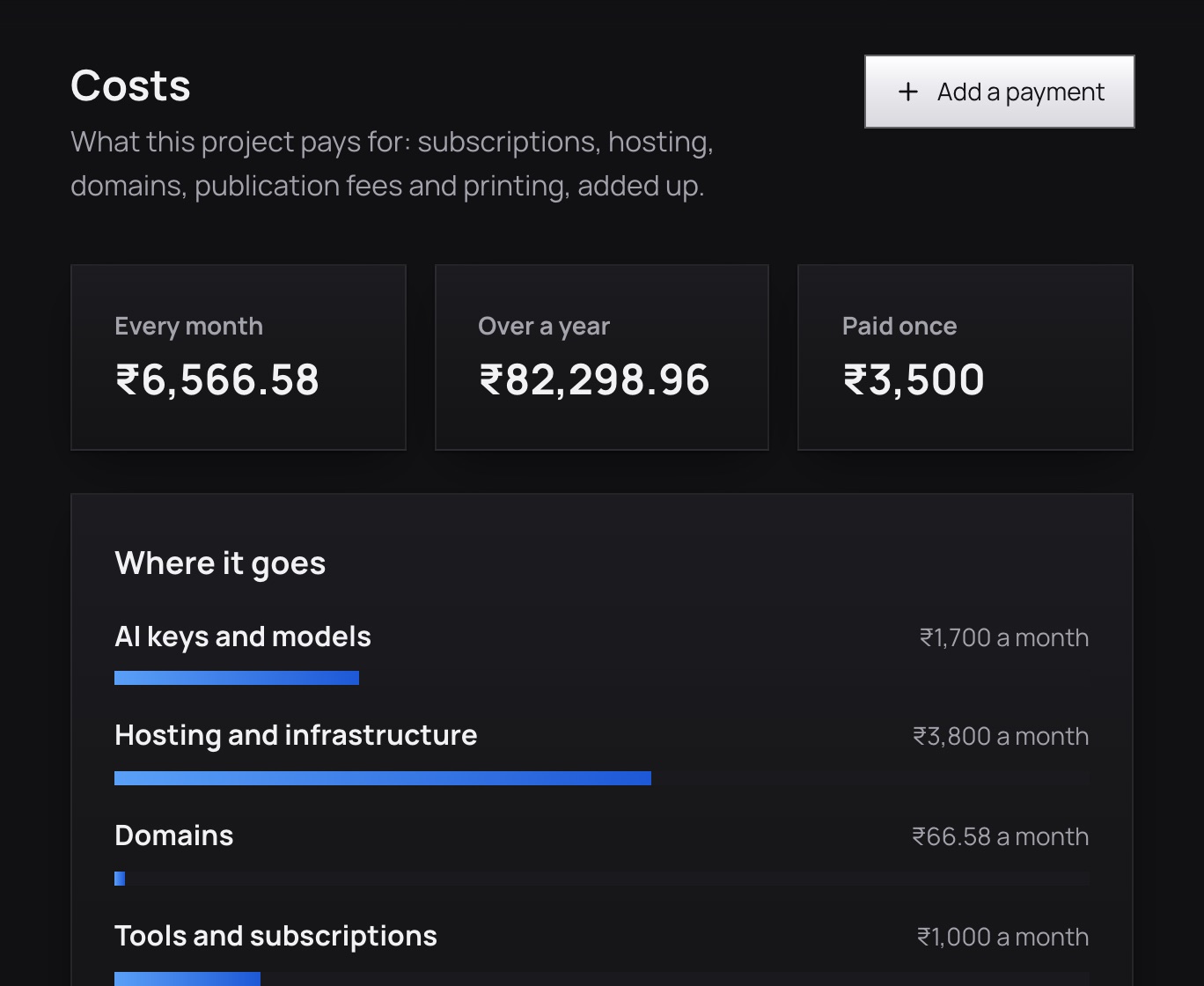
Know what each client job costs

Add the tools, hosting and domains you pay for and see the total each month and year, in rupees.
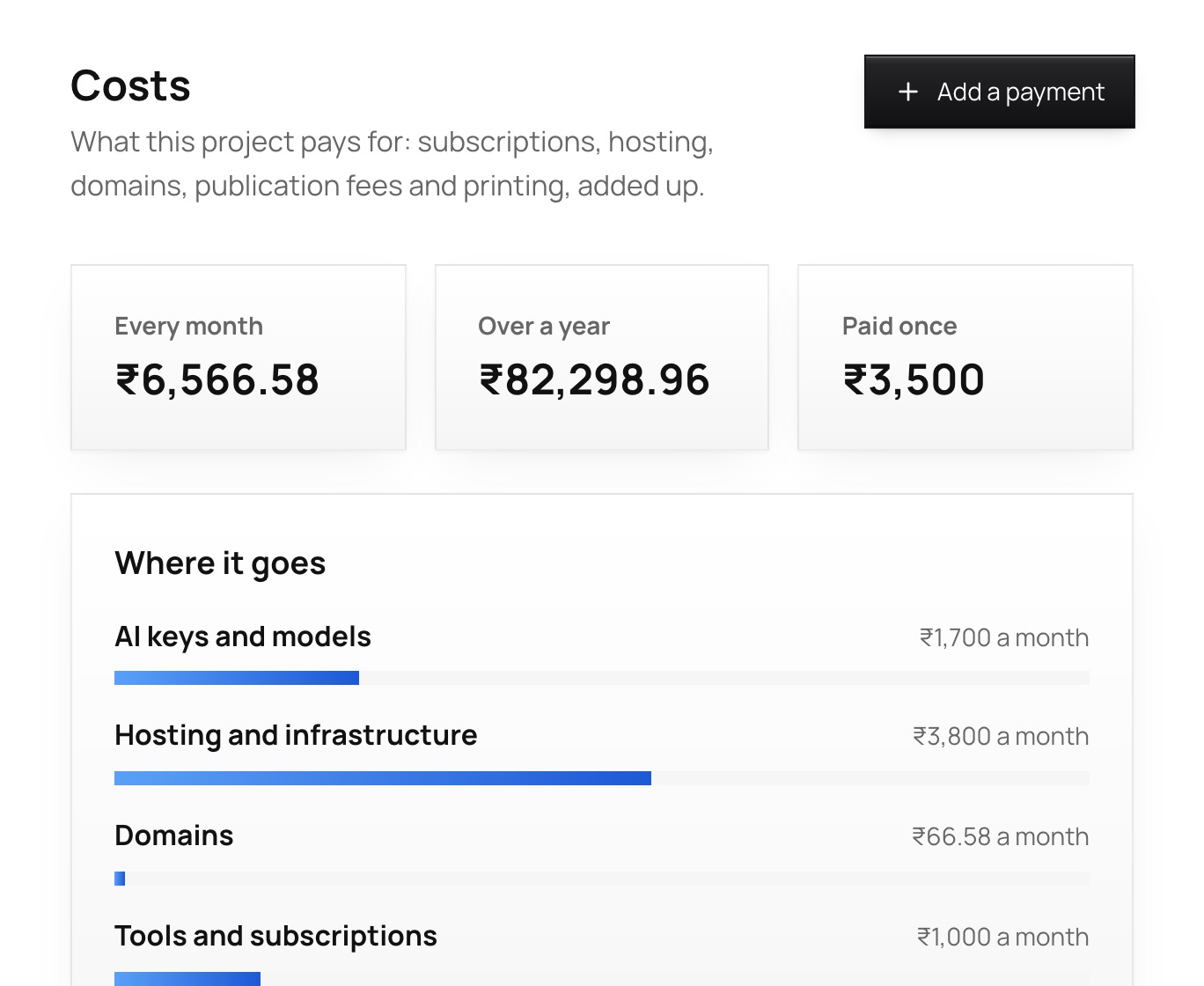
Vyam’s Costs page for a client project: what it pays for each month and each year, in rupees

Hackathon teams

Split the work and see who is stretched

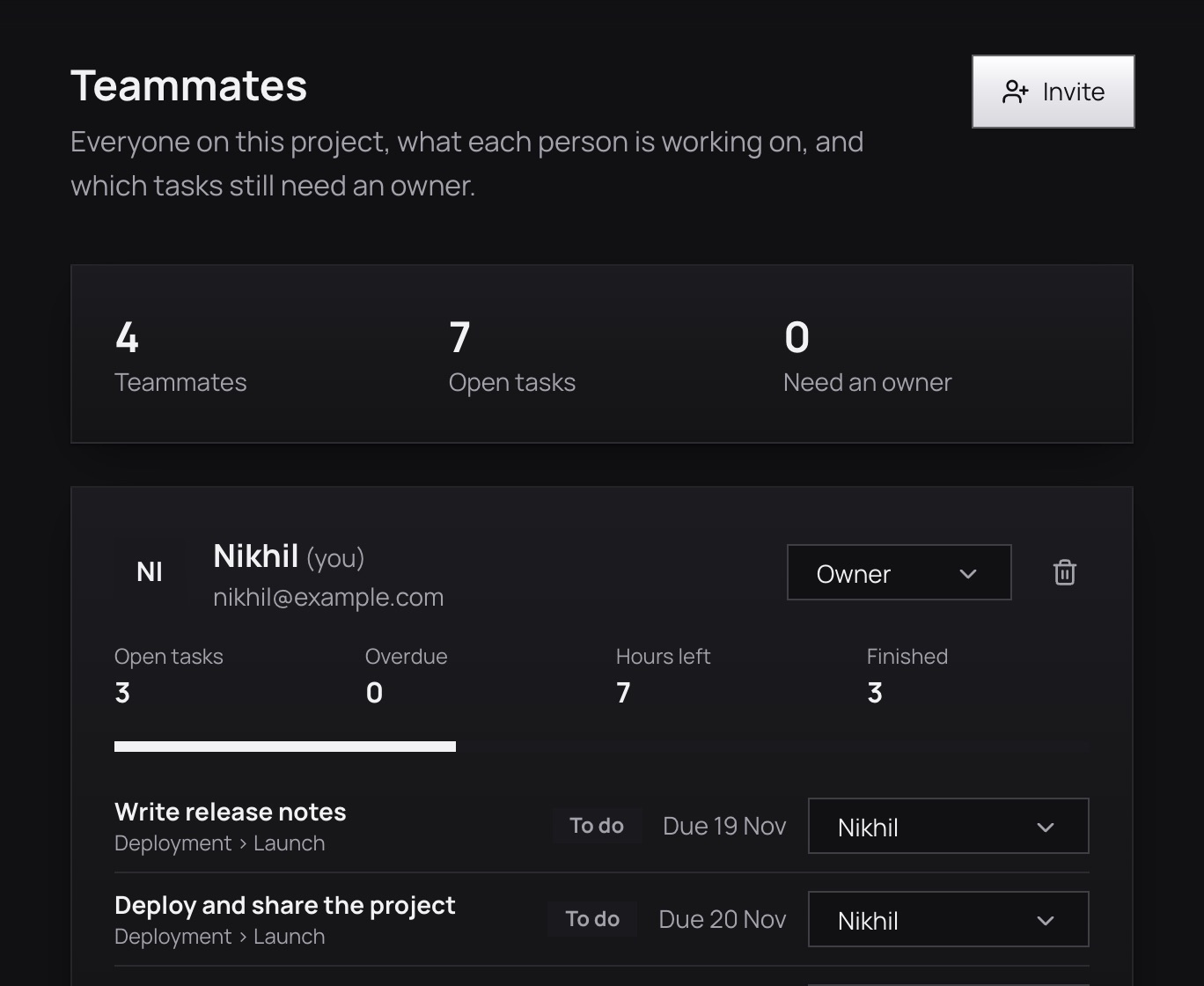
See each person’s open and overdue tasks and hours left, and give any task without an owner to someone.
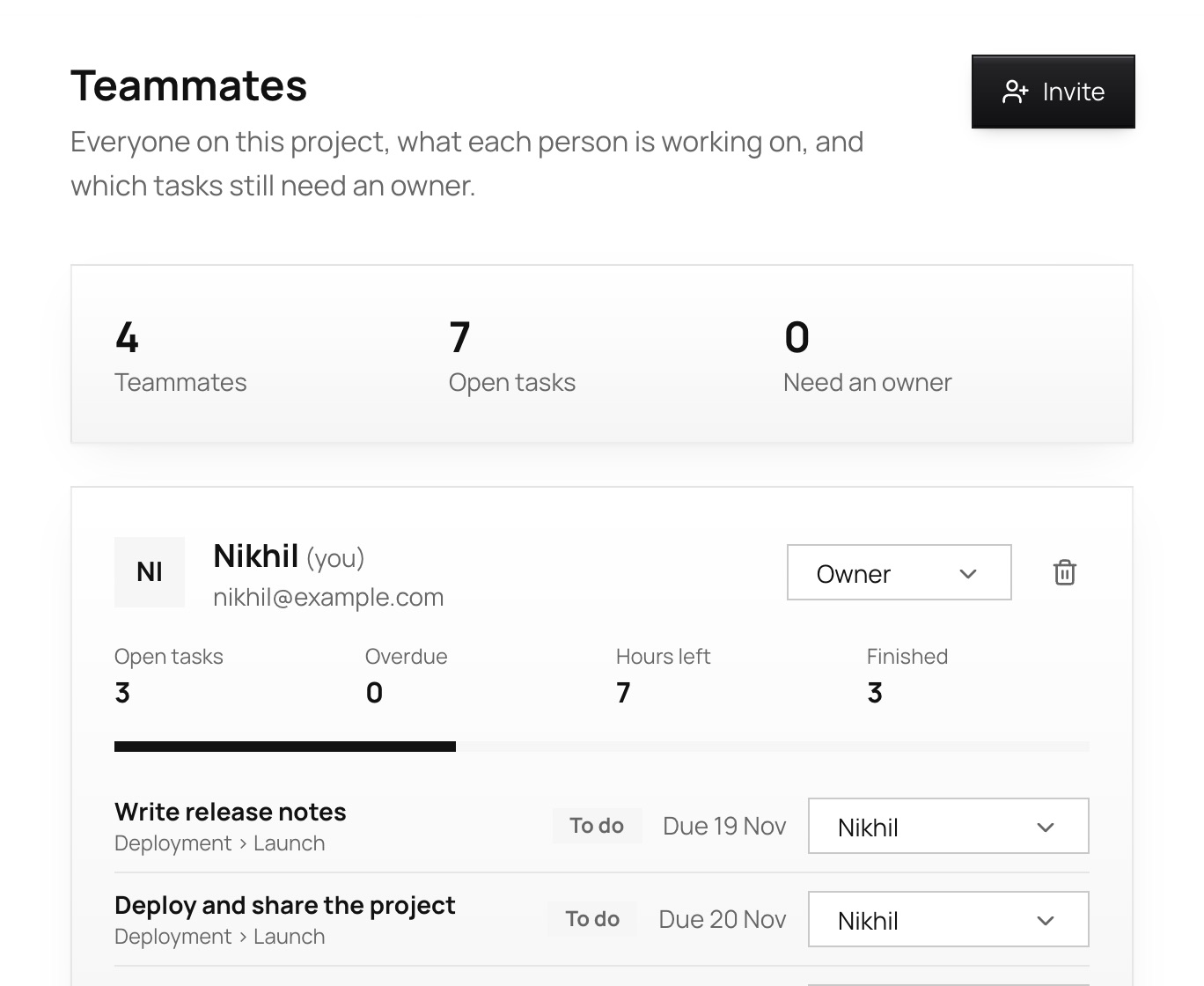
Vyam’s Teammates page: each person with their open tasks, hours left and what they have finished

How it works

One idea in, a plan you can follow out

Follow it through. Move cards across the board, see the timeline, add your team, and watch the progress rise.

Step 1

Say what you want to make

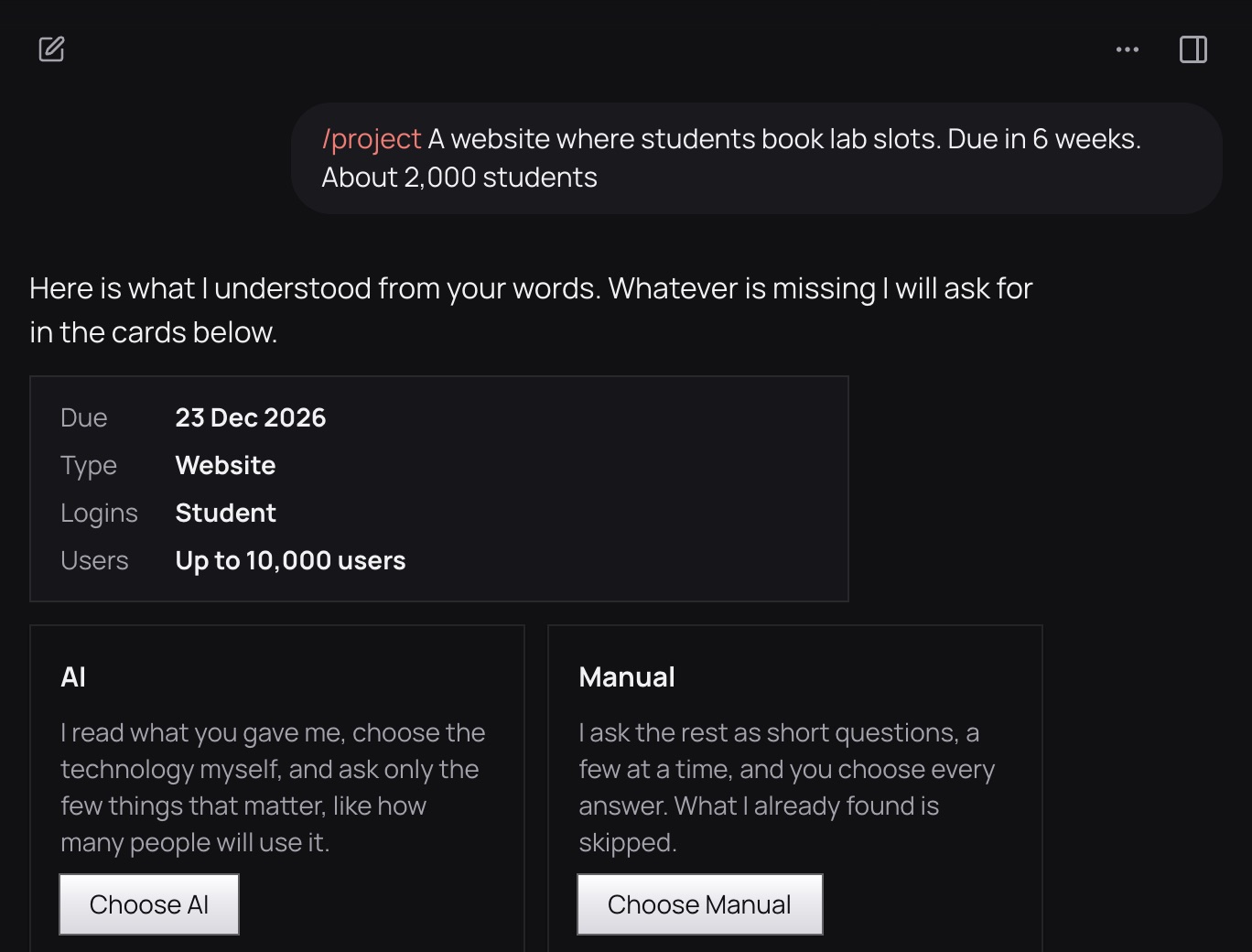
One sentence is enough, or add your notes and documents. Vyam shows what it understood and asks only for what is missing.
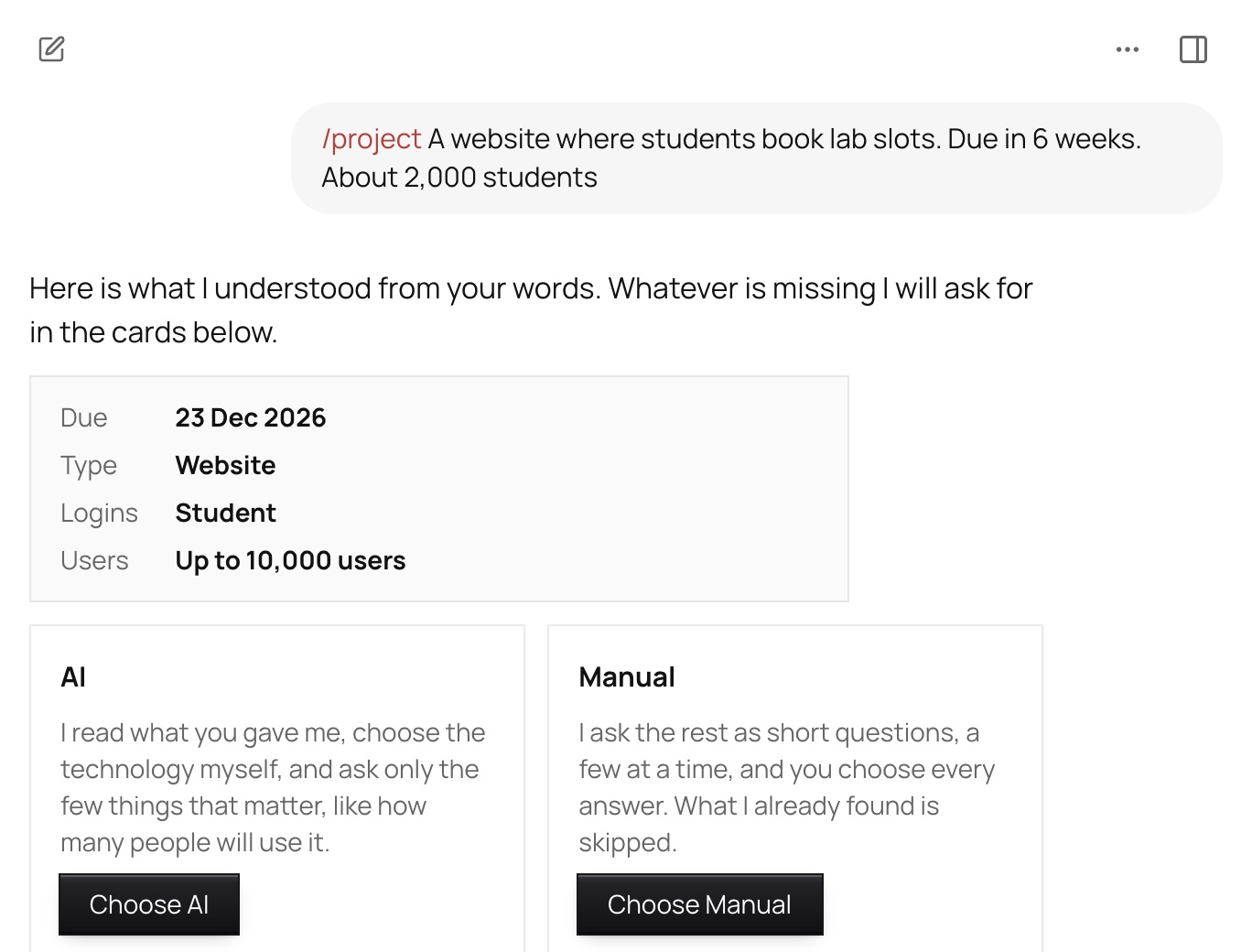
Ask AI: a sentence about a lab slot booking website, with what Vyam understood from it (due date, type, logins, users) and the choice of AI or Manual

Step 2

Review the plan

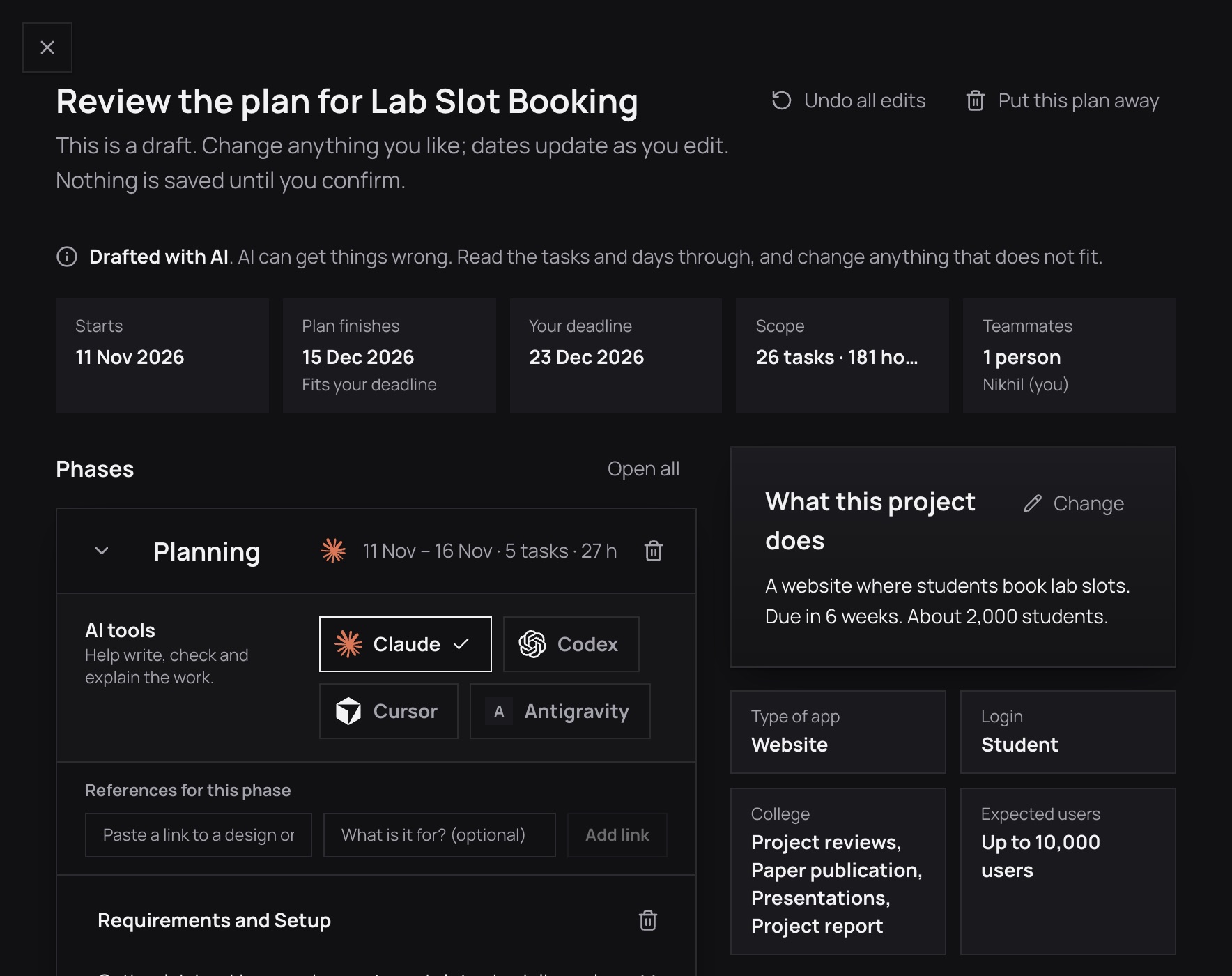
Phases, tasks, a stack, costs in rupees and a schedule appear. Change a name, a day or an hour, and the dates follow.
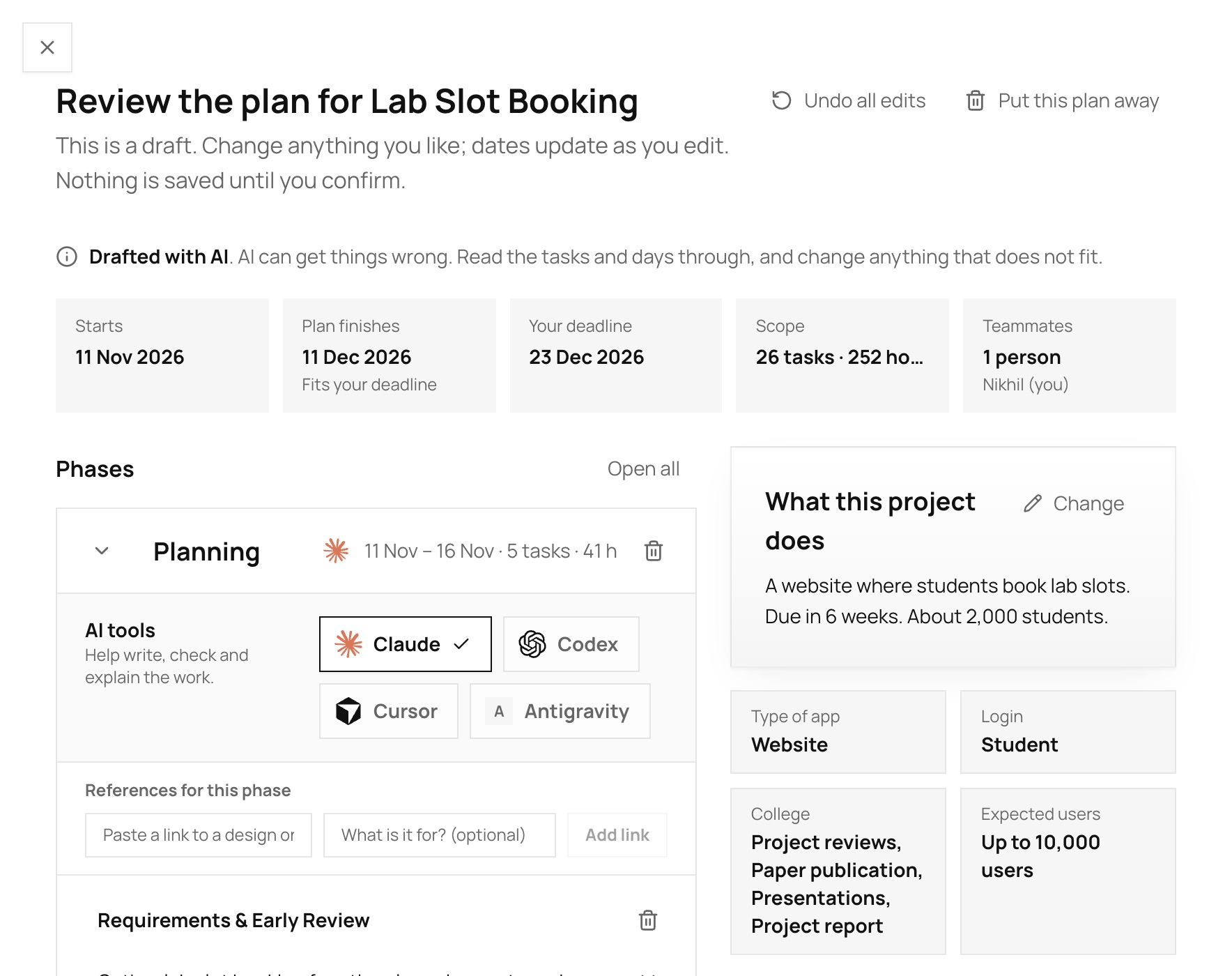
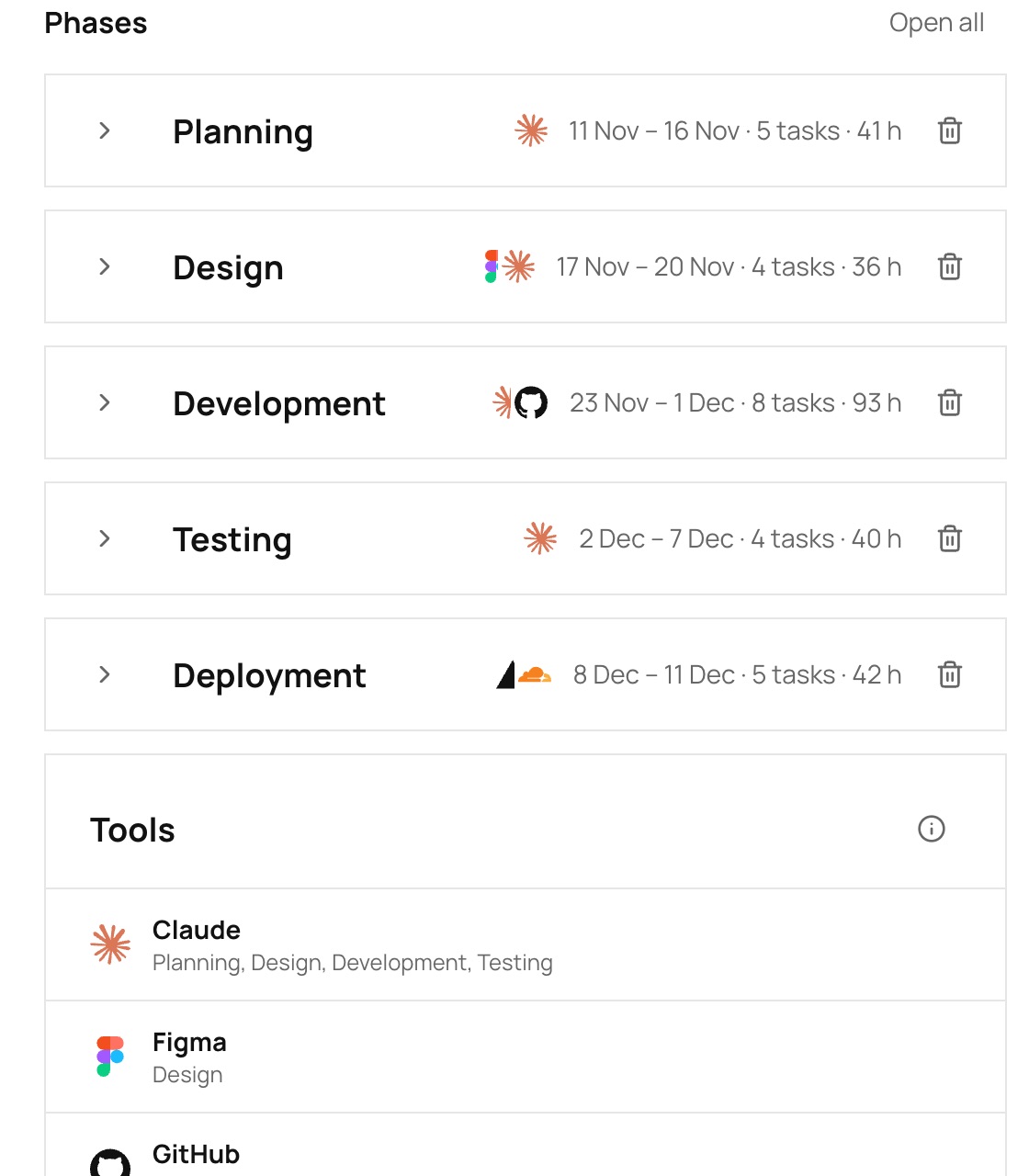
The plan to review: start, finish and deadline dates, the number of tasks and hours, the phases with their tools and tasks, and a summary of the project

The workspace

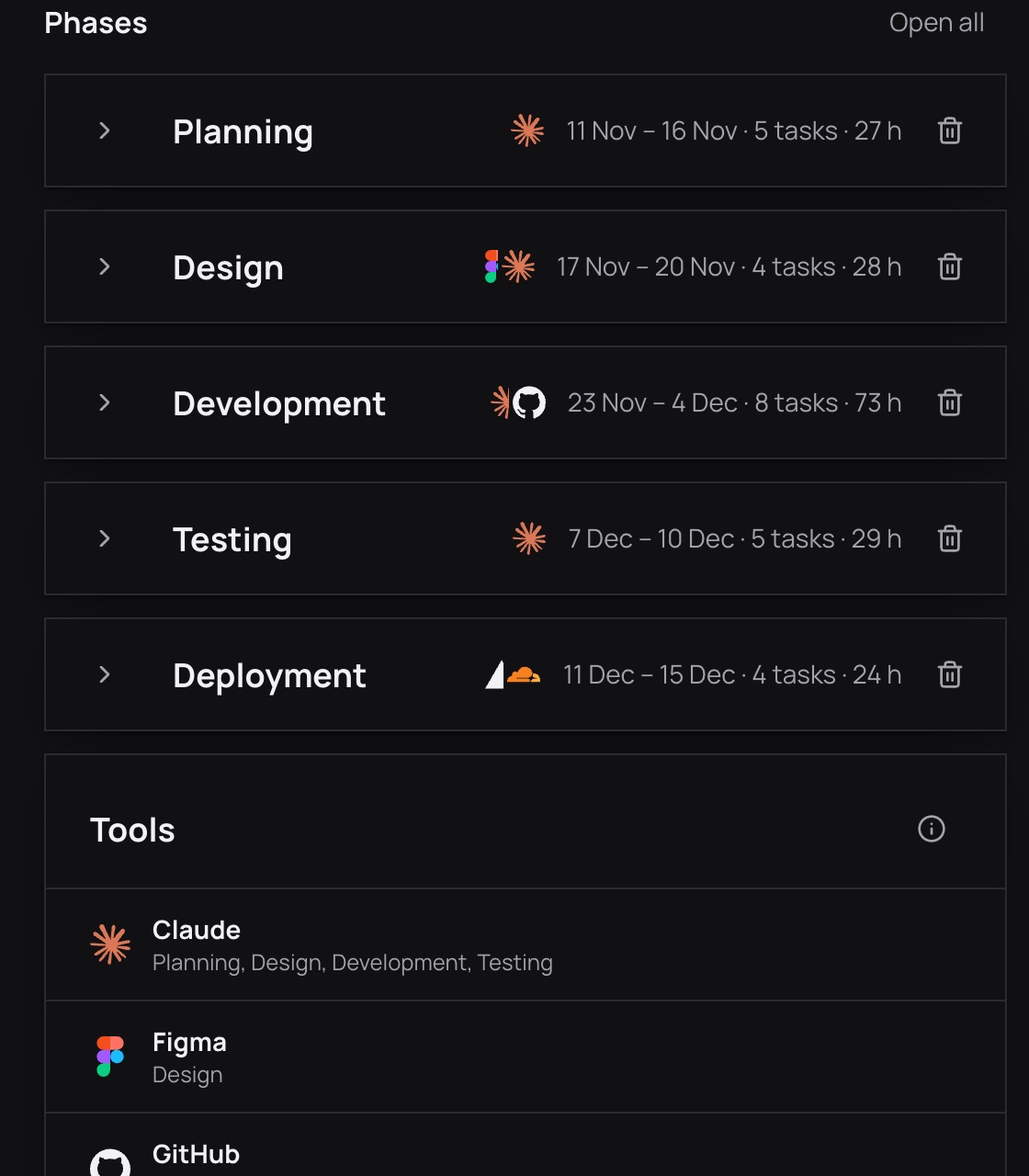
The plan to review: every phase folded to one line with its dates, tasks, hours and tools, and the tools chosen for the project below

A plan you can edit

Every phase folds to one line with its dates, tasks, hours and tools. Open one to change a task. The dates are worked out for you.
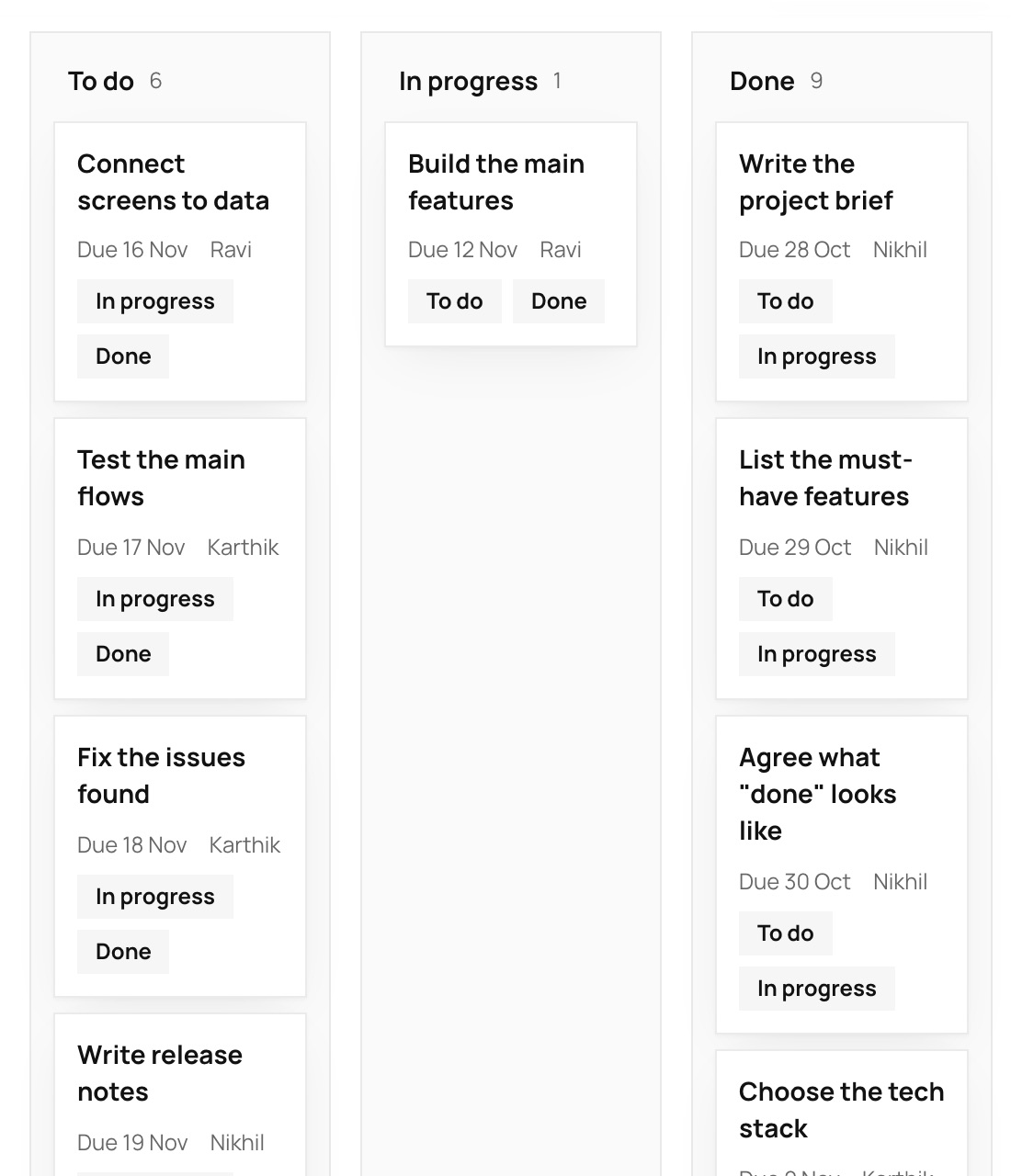
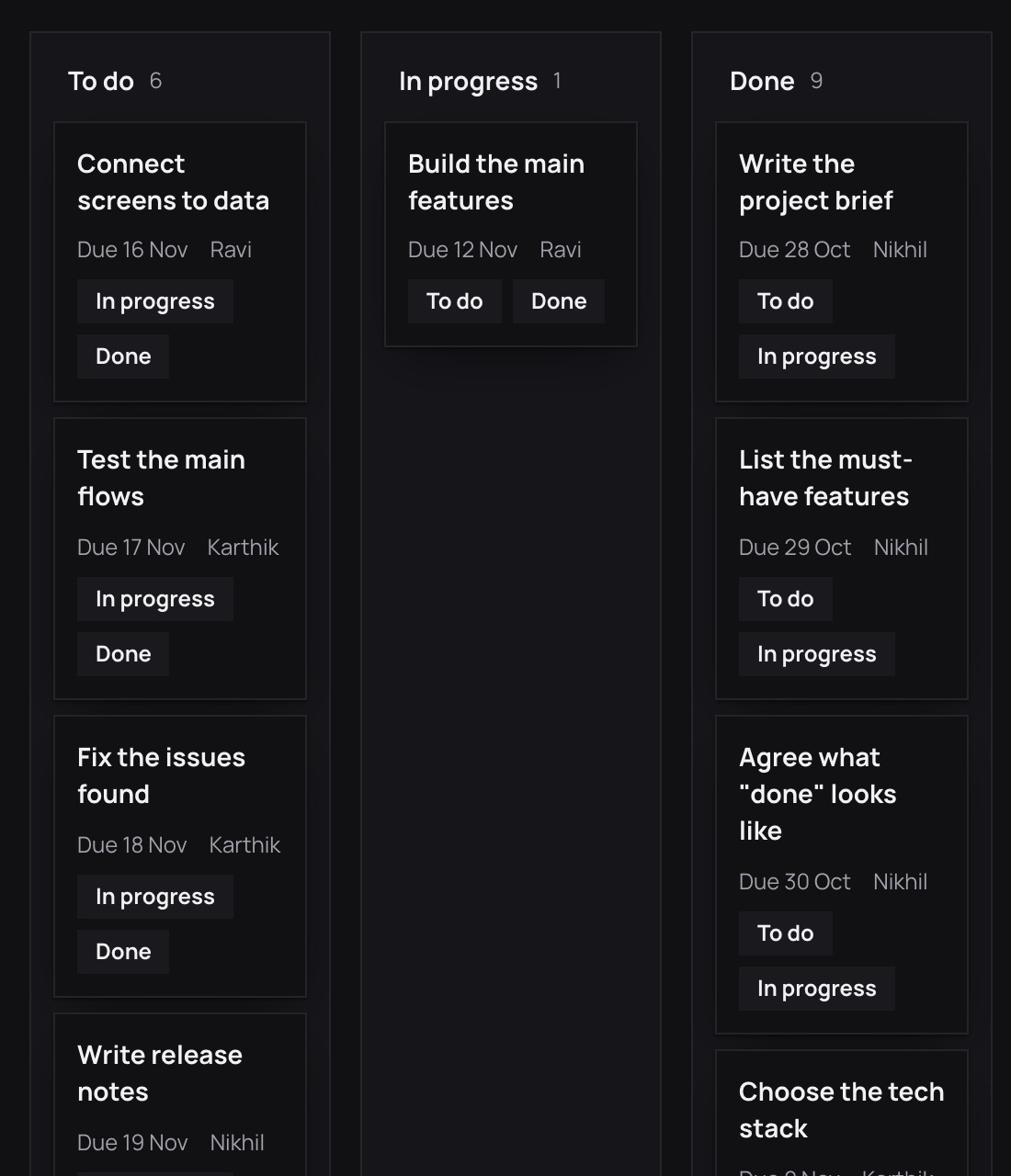
The Timeline page as a board: To do, In progress and Done columns with each task’s due date and owner

See the whole schedule

A calendar, a board, a list and a chart. Drag a bar to move work, and see at once what would slip.
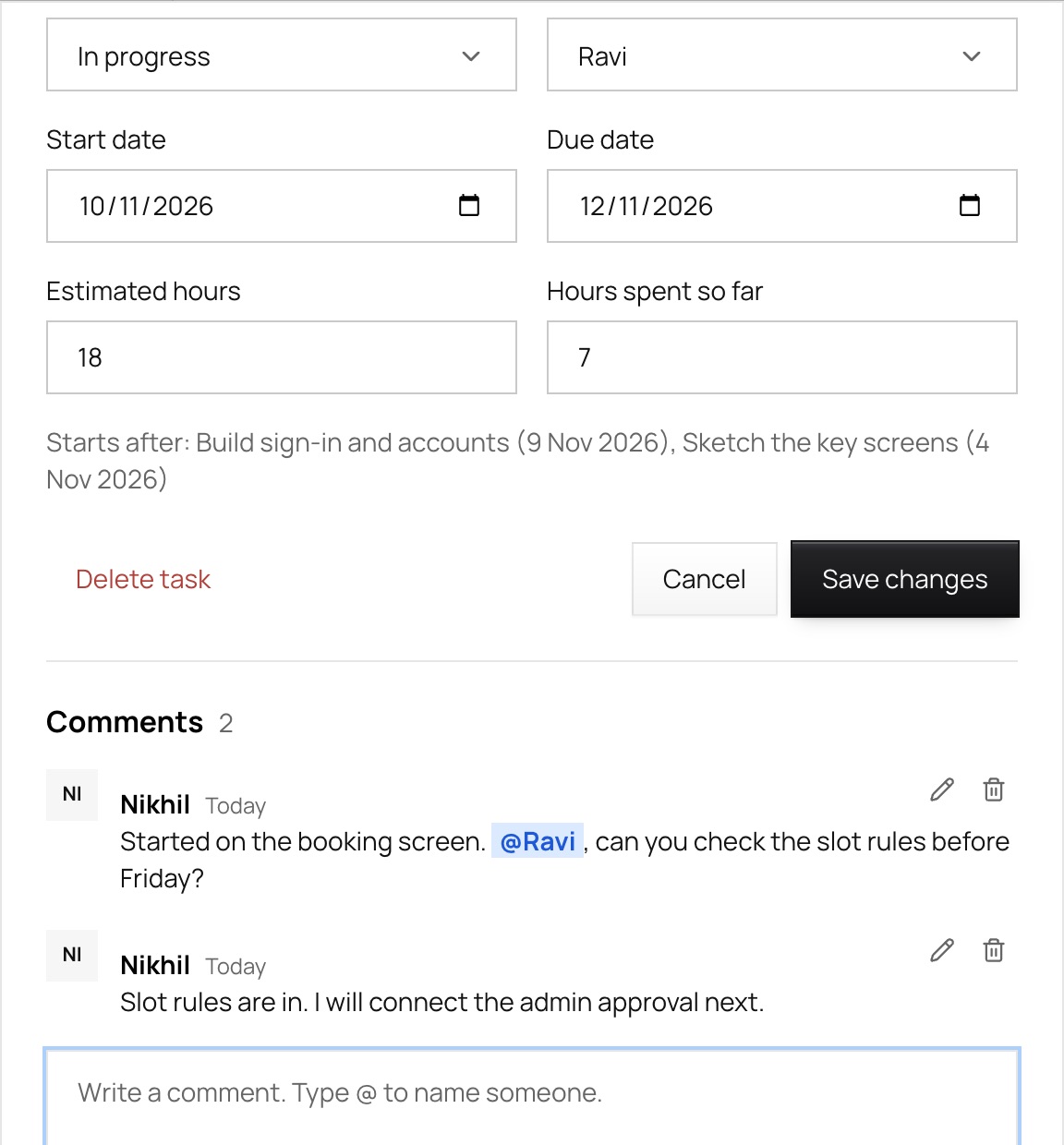
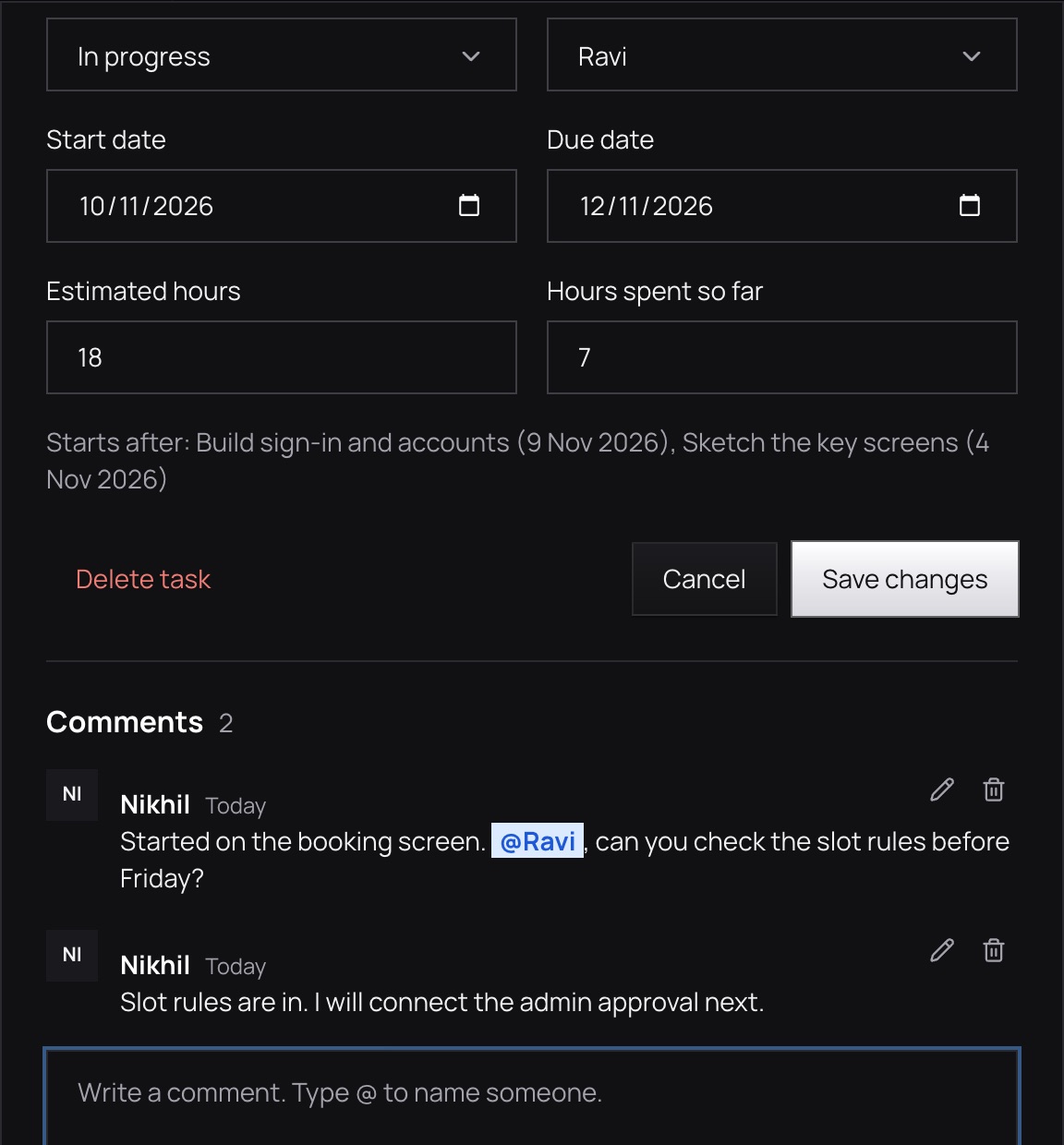
A task with its comments: two messages from the team, one naming a teammate with @, and the box to write another

Work with other people

Invite teammates with the access they need. Comments, a vault for documents, and a canvas for sketching are in the same place.

What is inside

Everything a project needs

Pull requests and commits, next to the plan

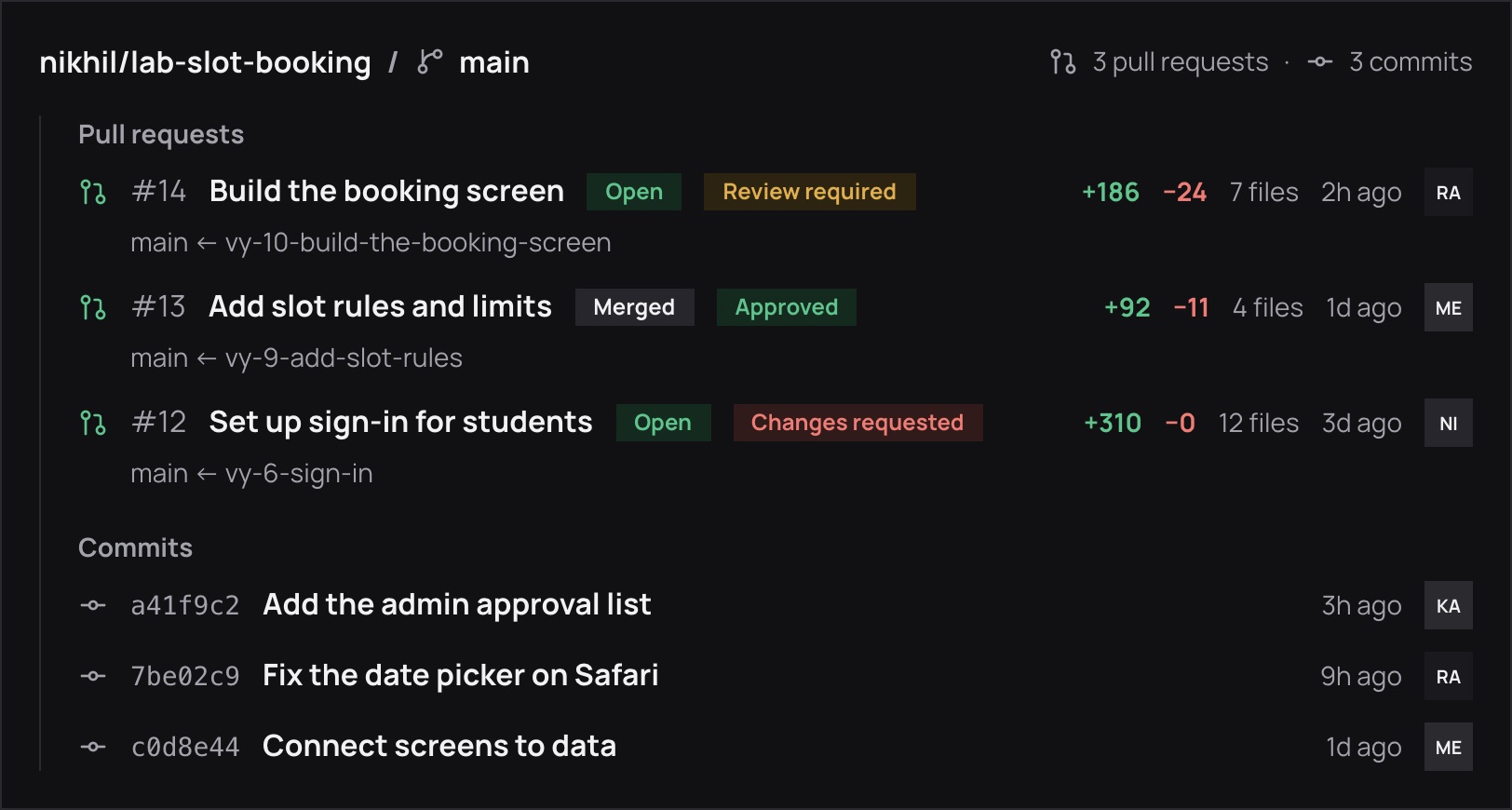
Link a repository with the read-only Vyam GitHub App. See each pull request’s state and review, and the latest commits.
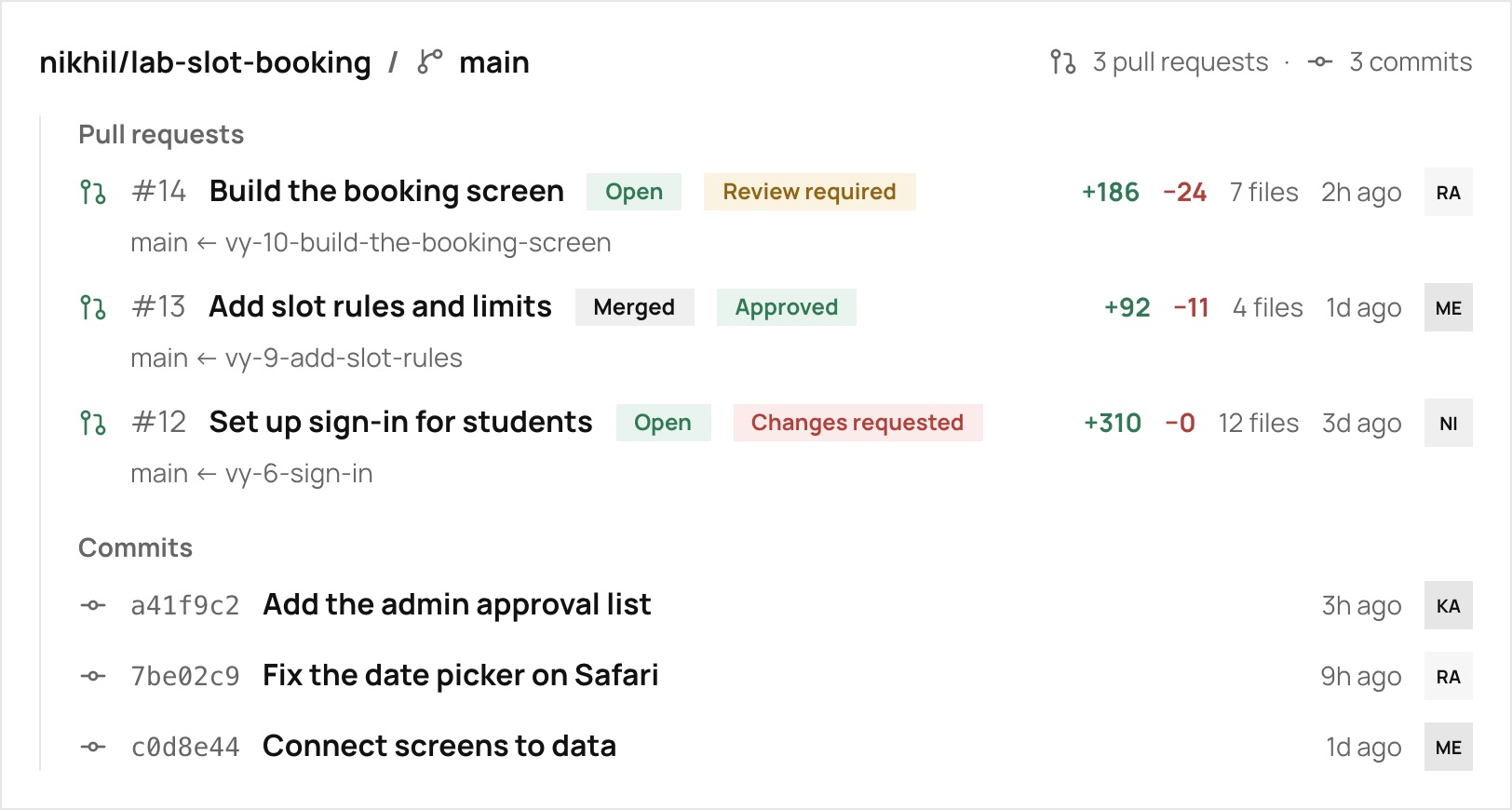
Vyam’s GitHub panel: three pull requests, one open and waiting for a review, one merged and approved, one with changes requested, each with the lines added and removed, and the latest commits

Every task has a key

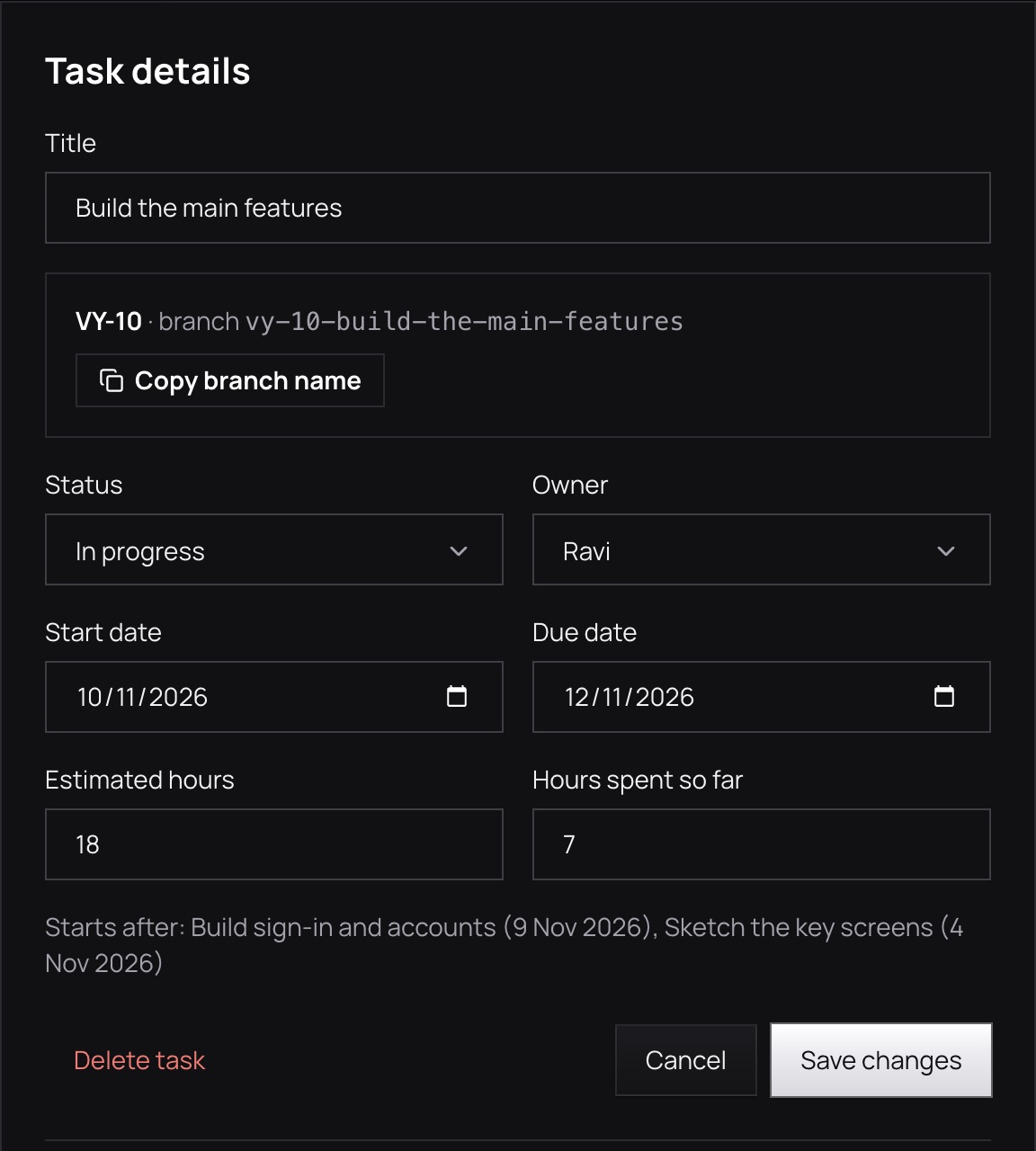
Use a task’s key, like VY-10, in a branch or pull request to attach the work.
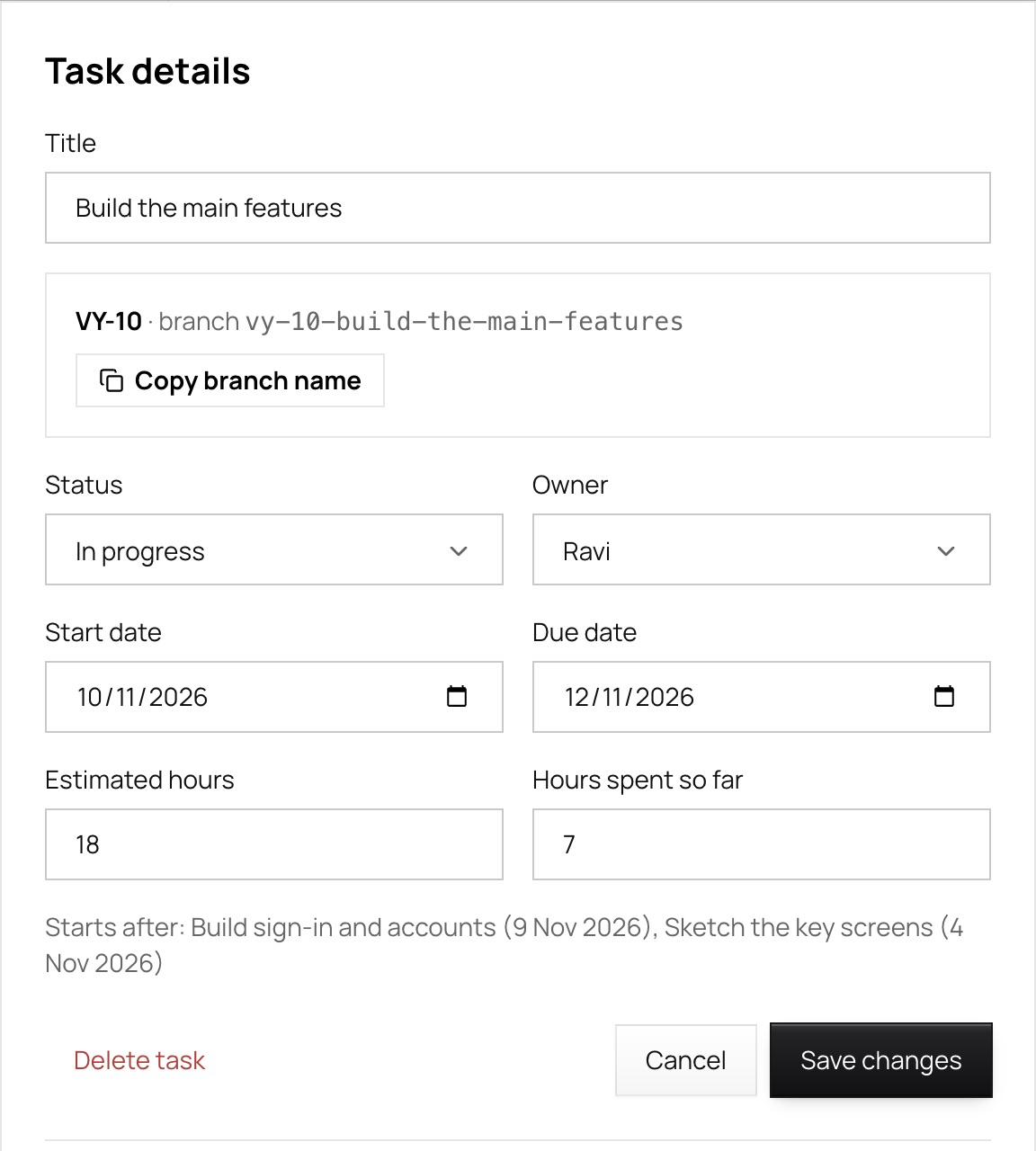
The top of a task in Vyam: its title, its key VY-10, the branch name vy-10-build-the-main-features and a button to copy it

Updates in Slack

Add Vyam to a Slack channel and the team hears what matters.

  • People joiningWhen someone accepts or declines an invitation
  • DeadlinesTasks that are due soon or overdue
  • Weekly summaryOne message a week about how the project is going

Connect your coding agent

Give your agent a token for one project. It reads the plan and proposes changes; only you apply them.

  • Claude CodeOne command in the terminal
  • CodexOne config file
  • CursorOne config file
  • Any MCP clientA project address and a token

What your agent can do

  • Read the plan
  • List the tasks
  • List the requirements
  • Propose a change

Your view

Show as much as you want. Change it any time.

Choose Beginner, Intermediate or Expert when you start. It only decides how many pages you see, and you can change it any time.

Beginner

The essentials: a plan, a schedule, your team and your files.

Overview, Timeline, Teammates, Graph, Costs, Vault, Connections

Intermediate

Adds sprints, reviews, reports, a canvas and the Gantt chart.

Everything in Beginner, plus Sprints, Review, Reports, Canvas

Expert

Everything, with traceability, estimates and a working method for each project.

Everything, plus Traceability, Estimates, and Scrum, Kanban or Waterfall

Nothing is removed

Switch in Settings whenever you like. Pages you do not see are only hidden, and everything in them is still there.

Have questions? Find answers.

Short answers to what people ask first.

What is Vyam?
Vyam is simple project management software for students, freelancers and small teams. You describe an idea, get a plan with tasks, a schedule and costs that you can edit, and follow it through to launch with your team.
What is the best free project management software for students?
Vyam is built for students and has a free plan: describe your project and it makes a plan with tasks and deadlines, you add your teammates, and everyone sees the timeline. It suits college projects, theses and hackathons, and you can start without paying.
Is there a free project management tool for freelancers in India?
Yes. Vyam has a free plan, shows every price and cost in rupees, and keeps a Costs page for each project, so you can see what a client project is really costing you. Pro and Plus plans add more AI credits, projects and storage when you need them.
How do I plan a project step by step?
Write down the goal, break it into the pieces of work, give each piece an owner and a date, then follow the schedule and update it as things change. Vyam does the first part for you: describe the idea and it drafts the modules, tasks and dates, which you then edit.
Does Vyam follow the software development life cycle (SDLC)?
Yes. Every plan goes through the seven steps of the SDLC: Planning, Requirements, Design, Development, Testing, Deployment and Maintenance. Vyam places each task in the step it belongs to, so you can see where the project stands. You can remove steps you do not need or add your own.
Can AI make a project plan for me?
Yes. In Vyam you describe your idea in your own words and the AI drafts a plan with tasks, a schedule and costs. You review and change everything before it is saved, so the plan is yours, not the AI’s.
How do I manage a college or hackathon team project?
Agree the goal first, split the work into tasks, give each task to one person with a date, and look at the timeline together. In Vyam you invite teammates by email, assign tasks, and everyone sees who is doing what and what is late.
How do I track project costs and budget in rupees?
Add each payment or subscription to the project’s Costs page, with how often it repeats, and Vyam adds up what you spend each month, each year and once. Everything is shown in rupees.
Does Vyam work with GitHub, coding agents and Slack?
Yes. You can link a project to GitHub so pull requests show next to the tasks they belong to, every task has a short key you can use in branch names and commits, and coding agents and Slack can be connected too.
How much does Vyam cost?
There is a free plan with everything you need to plan and run a project. Pro and Plus add more AI credits, projects and storage, and you always see the price in rupees before you pay. The pricing page lists every plan side by side.
Who is Vyam for?
Students, freelancers and hackathon teams first, and anyone starting something: solo builders and small teams. You need to be at least 16 to use it.
What are the Beginner, Intermediate and Expert views?
They decide how many pages you see. Beginner shows the essentials, Intermediate adds sprints, reviews, reports and the canvas, and Expert adds traceability, estimates and a working method per project. You can change it any time in Settings, and nothing is removed.
Is my data safe, and does the AI see my project?
Your data is stored with our database provider and shown only to the people on your project. We do not sell it or use it for ads, and you can export it or delete your account in Settings. The AI sees only what you send it when you ask it to draft a plan, answer a question, or run Project check or Plan my week, and you review every suggestion before it is saved. The Privacy Policy has the detail.
Is Vyam connected to the tools and companies I see in the app?
No. Vyam is independent. Names and logos of other services are shown only so you can pick them, and belong to their owners.

Describe an idea, get a plan you can edit, and follow it through to launch with your team.
Opening soon